
zoom_in
Easiest way to download Facebook public videos and private videos
€0.00
share
Share Product
Easiest way to download Facebook public videos and private videos
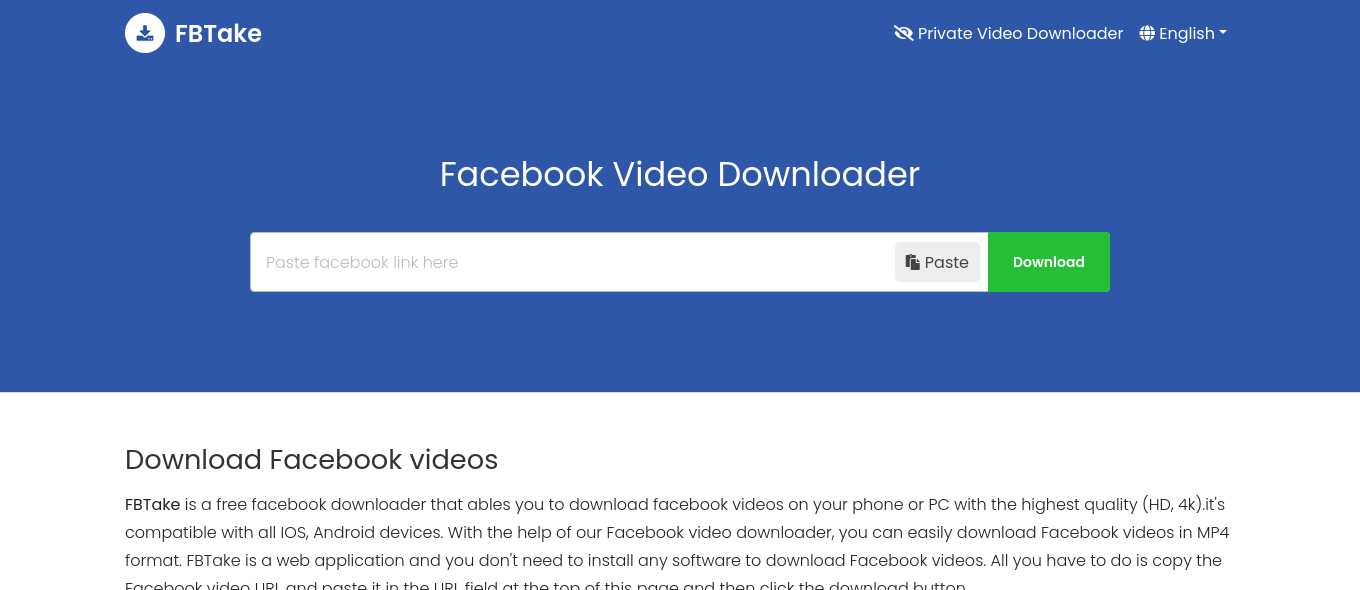
FBTake is the best tool for download Facebook videos on any device. FBTake allows you to download Facebook private and public videos in MP4 format on your mobile phone or PC in the highest quality (HD, 4K). There is no need to install any additional applications or browser extensions to use this fb downloader tool. In this article, I will show you how easy it is to download Facebook videos using FBTake.
Downloading Public Facebook Videos
Downloading Facebook public videos with FBTake is very simple and quick. You can download the fb video you want in just a few seconds.
1. Go to the video you want on the Facebook app or website and click the three dot menu icon then select "Copy link".
2. Open https://fbtake.com ↗ in your browser and paste the copied link in the address bar at the top of the page then click the download button.
3. After a short time, the video files will appear in different qualities for you to choose from. Download the video in the quality you prefer.
Downloading Private Facebook Videos
On Facebook, people can publish videos privately so only friends can see the videos. FBTake allows downloading Facebook private videos. If you want to download a private Facebook video, use the Facebook Private Video Downloader tool to easily download it on your mobile or PC.
1. Open the private video page in your browser and right click to select "View page source" or press CTRL+U (Windows) or ⌘-Option-U (Mac)
2. Copy the entire source code of the page by pressing CTRL+A (Windows) or ⌘+A (Mac) then right click and select copy.
3. Visit https://fbtake.com ↗/private-downloader/ and paste the source code in the provided field then click the download button.
4. The video files will appear - download your preferred video in the quality you want.
High Speed
FBTake downloads and converts Facebook videos fast. It download videos without delay.
Completely Free and Safe
There is no limit on fb video downloads. It has no advertisements and downloads videos safely.
Compatible with All Systems
Its web-based, FBTake works on any operating system like Android, iOS, Windows, Linux, macOS etc.