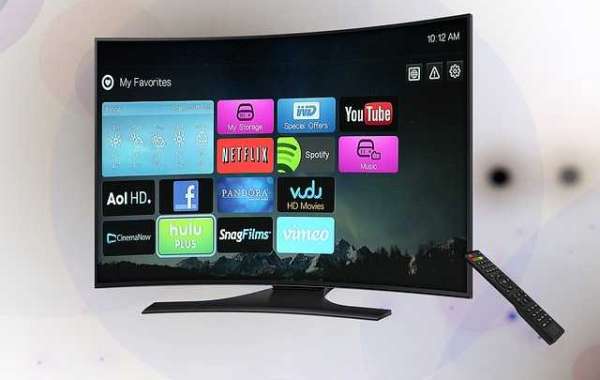
Troubleshooting Guide for Vizio TV
If you have a Vizio TV, you may encounter various issues, just like any other TV, which may be frustrating and can ruin your day instantly.
But, thankfully, they are minor issues that can be rectified with a few easy measures.
A blank screen, remote control troubles, screen partial darkness or flickering, and sound issues are all frequent Vizio TV problems.
However, the majority of the issues are simple to resolve. So don't worry; we'll walk you through many effective troubleshooting techniques such as detecting defective parts, tweaking your TV, and changing settings.
If you wish to pick another brand, such as Onn TV, we have a guide on Onn TV Reviews for you.

We will go through each problem and its potential solutions in depth.
The Vizio TV displays only a blank screen
The most common issue reported by Vizio TV consumers is a blank black screen.
If you switch on your TV and only see a completely blank screen, even after restarting it, it might be due to one of the following issues:
The problem may be related to the power supply inside your Vizio TV.
Another possible issue may be a faulty backlight converter or other parts relating to the display.
It might be the result of a defective T-com board, which is in charge of manufacturing individual pixels and frames on your TV screen.
You are left with just one option: replace the defective components.
Problems with Remote Control
Vizio remote controllers are prone to malfunctions and are a weakness for Vizio TV.
Try the following steps to diagnose the underlying issue:
A defective IR sensor or frayed cables may also impair the remote's ability to work correctly.
To drain any electrical residue stored in the remote, power cycle it. First, remove the batteries from the remote and press and hold the power button for one minute. Replace the batteries and test the remote to see whether it works.
Examine the remote for any pushed buttons or physical damage.
But don't worry, you can get a new remote from Vizio for a reasonable price.
To operate your Vizio TV, you can also temporarily download and use the Vizio remote control app on your smartphone.
Error "No Signal" Tuner Has Not Been Setup
Error notifications might be inconvenient, but they are simple to resolve.
First and foremost, check the batteries and replace them with fresh ones to determine if the problem persists.
If the problem persists, it is probable that it was caused by moisture or stress, which causes harm to its internal components.
If you see notifications on your Vizio TV screen like "No signal," "Tuner has not been set up," or "No stations in the master list," you need do the following actions.
Check that all cables are correctly connected to the TV and the input devices.
Check to see if the input device is turned on; many error warnings may be fixed simply by turning the device on.
If you're using a wall-mounted antenna and coaxial cable, or a satellite box connected to the TV, hit the input button on the TV remote and make sure the input is set to TV input. If the input button on the remote is not pressed, keep pressing it until the TV or DTV option is selected.
You may see a notice stating that the Tuner has not been configured; simply hit OK to scan. It will scan all channels in a matter of minutes.
Vizio TV Wireless Connection Issue
Vizio TV not connecting to Wi-Fi is caused by an underlying issue with your Wi-Fi network or Vizio TV.
To determine if the problem is with the Wi-Fi router or the TV, connect any other device to the same Wi-Fi router; if Wi-Fi connects to the other devices, the problem is with your Vizio TV.
The following step is to figure out why your Vizio TV isn't connected to the Wi-Fi router. Try the following actions for this purpose.
If your network has dual-band capabilities, consider switching your TV to 5 GHz bandwidth.
Another easy reason for your Vizio TV not connecting to Wi-Fi is the distance between the router and the TV. Move the TV and router closer together to test whether Wi-Fi connects to your TV.
The Vizio TV Has Sound Problems
You may occasionally encounter a situation in which your TV display is normal but the sound is not. If you are experiencing such problems, consider the following steps:
Check that your television is not on mute and that the volume is set above zero.
Check that all of your TV's wiring and connectors are securely fastened.
If none of these options work, your internal speaker is most likely malfunctioning. To address this problem, you must visit a technician.
The TV's screen is partially dark
Users of Vizio TVs have reported a partial black region or backlight flashing issue, which can be caused by LED strips, open circuit light bulbs, or dry soldering of cable connections.
Long-term TV use can result in a high temperature in the backlight module, which can be resolved by following these instructions.
If the LED light bulbs short circuit and cause the LED driver board to burn, replace the LED strips.
If the LED strip has dry soldering pins, re-solder the connecting pins and ensure the socket fits correctly into the connector.
Sometimes the socket and connection must be bonded to the compaction.
If the LED open circuit has burned out, you must replace the LED strips to remedy the problem.
Vizio Smartcast Doesn't Work
Vizio Smart Cast is the built-in operating system from Vizio that allows you to stream movies, TV episodes, and music as well as browse the internet.
The issue with your Vizio Smart Cast might be caused by a simple software bug or by poor network configuration.
To address the problem, try the following steps:
A problem with your Vizio Smart Cast may be easily remedied by power cycling, which involves totally restarting the module to delete any temporary configurations.
Check another network to check whether the problem has been resolved.
If the problem persists, perform a factory reset on your Vizio Smart Cast TV.
Flickering or blinking TV screen
On your Vizio TV, you may see a blinking or flickering screen.
This is a basic problem that can be handled by one of the following easy steps:
The most common cause of such a screen is loose-fitting connectors and connections. Check that all of the connections are securely fastened.
You should also investigate advanced video options. It is likely that some of the consequences are the source of the problem. Disable all effects to check if the blinking stops.
Vizio TV Won't Turn On
If your Vizio TV does not switch on, it might be due to weak connections or broken components in your Vizio TV.
To address this problem, attempt the following procedures to identify the source of the problem:
First and foremost, ensure that all of the connections are securely fastened since loose connections with the power outlet might impair its capacity to work.
If your Vizio TV still does not come on, a broken or damaged component within the power supply may be to blame. In this case, you must take your Vizio TV to an authorized repair location to have the problem diagnosed.
Conclusion: Troubleshooting Vizio TV
Vizio TV troubleshooting is a reasonably straightforward procedure, and most issues can be handled with a basic understanding of the TV and a few simple actions.
We've outlined how to troubleshoot common Vizio TV issues.
If your Vizio TV continues to malfunction, take it to an authorized repair facility where they will diagnose and repair the problem. You might also contact the Vizio Support Team.


