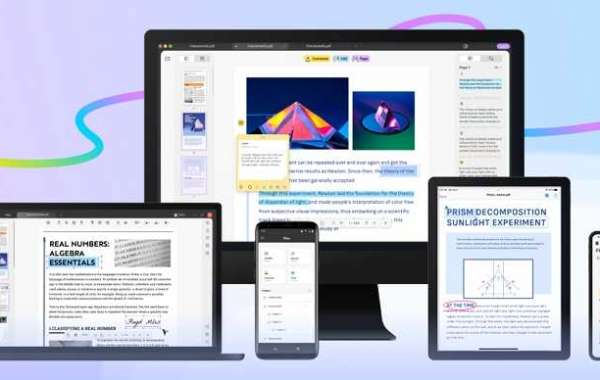
How Would UPDF Help in Your Work?
UPDF files have become the de facto standard for sharing information in the present digital age. PDF files are an easy way to share information primarily because they are portable and can be accessed on any device, including mobile phones. They are also inherently secure and offer electronic signature options. However, you may likely require to perform specific actions on a PDF file. These actions could include editing the PDF file, converting a PDF file or simply reading a PDF file. This article details the actions you can perform on a PDF file using PDF editor software.
What Actions Can You Perform on a PDF File
The Best Free PDF Editor
The PDF marketplace is filled with PDF editors and tools. However, if you are looking for the best free PDF editor software, UPDF is the software that you must try out. The software comes with several valuable features that enable you to perform various actions on PDF files. The key features of the UPDF are detailed below.
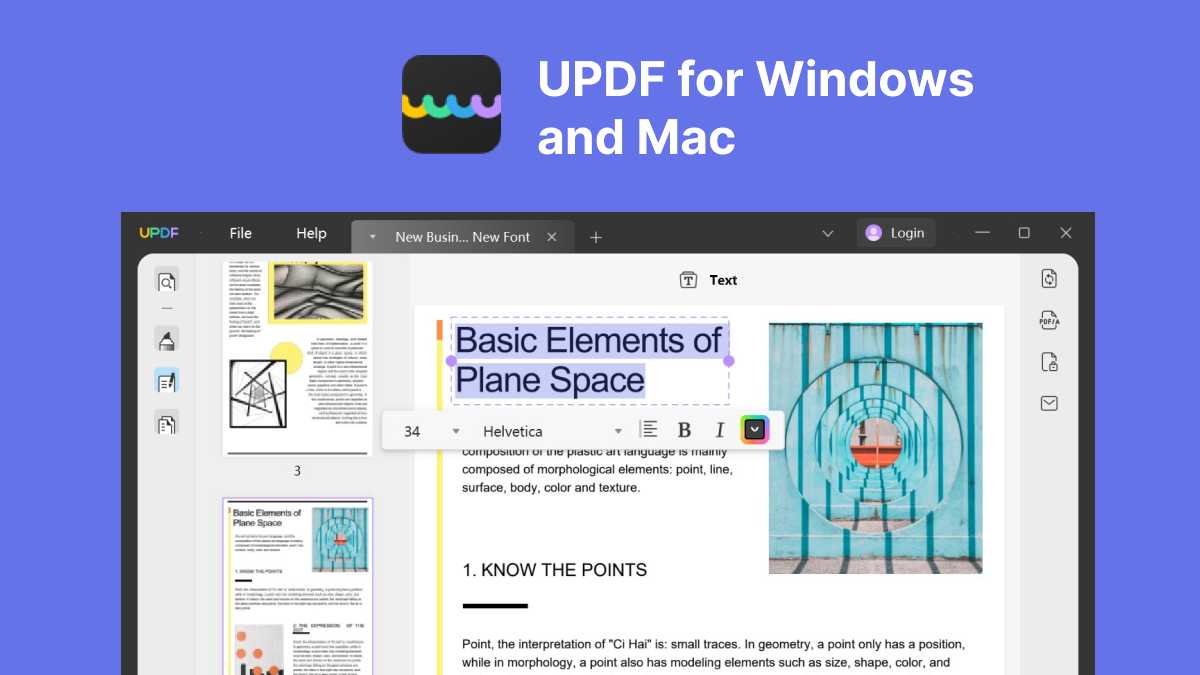
1. Editing PDF files made easy with UPDF
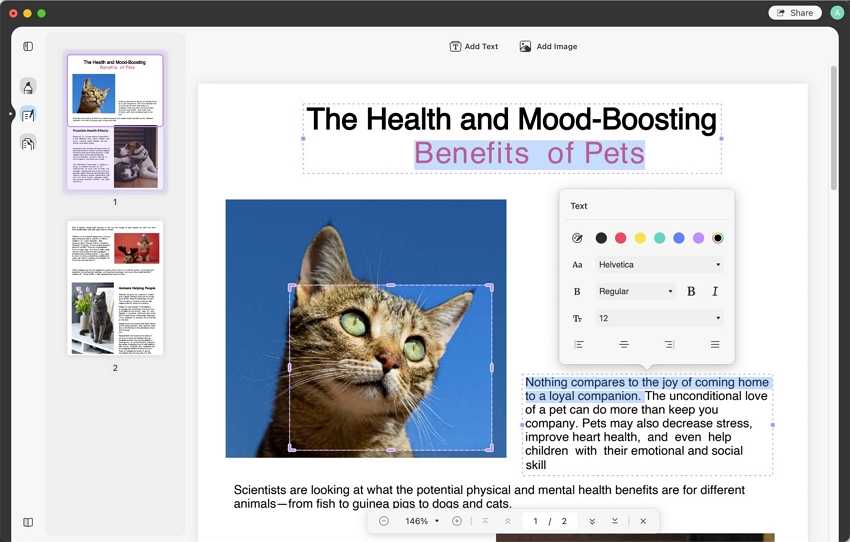
It is not possible to directly edit a PDF file. However, with UPDF, you can easily and effortlessly edit a PDF file. PDF allows you to edit the text and images in the PDF file for free. You can easily add new text or delete unwanted text from the PDF file. You can also cut, copy and paste easily across the entire PDF document. It is possible to edit the text font, size, colors, and typeface from a styling perspective. The rich editing interface provides a seamless experience and makes PDF editing a delightful experience.
UPDF comes with a built-in PDF image editor. You can easily add or remove images from a PDF document. Other advanced image editing options like cropping, rotating, and replacing images are also readily available. It is so simple to perform editing actions in UPDF that even a beginner can get started without any learning curve.
Reading and Annotating PDFs made delightfully
Since so much content is served in PDF files today, reading a long PDF document is not an uncommon use case. UPDF offers a delightful PDF reading experience where you can view and read through multiple PDFs simultaneously. UPDF opens various PDF files in a tabbed format. You can also adjust the page views to suit your device's screen size.
UPDF allows you to add quick bookmarks to a PDF document, which makes it easy to navigate through the PDF document. This is especially helpful if you are reading multiple long PDF documents. The search option allows you to search for specific text in the document easily.
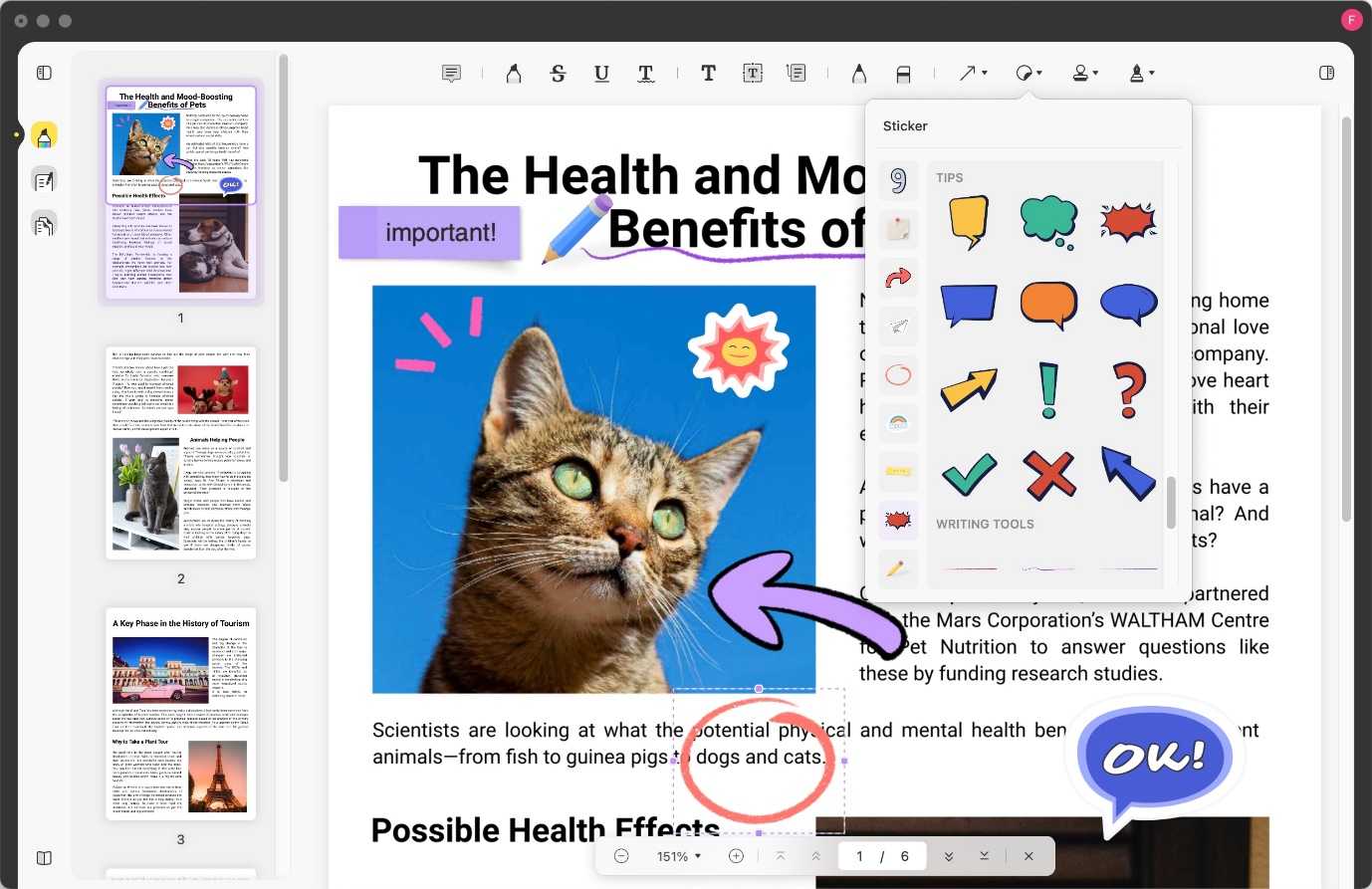
UPDF allows users to annotate a PDF document. Users can add comments to the PDF document as they read it. It is also possible to highlight specific sections of the document. You can also add sticky notes just like you would to a physical document.
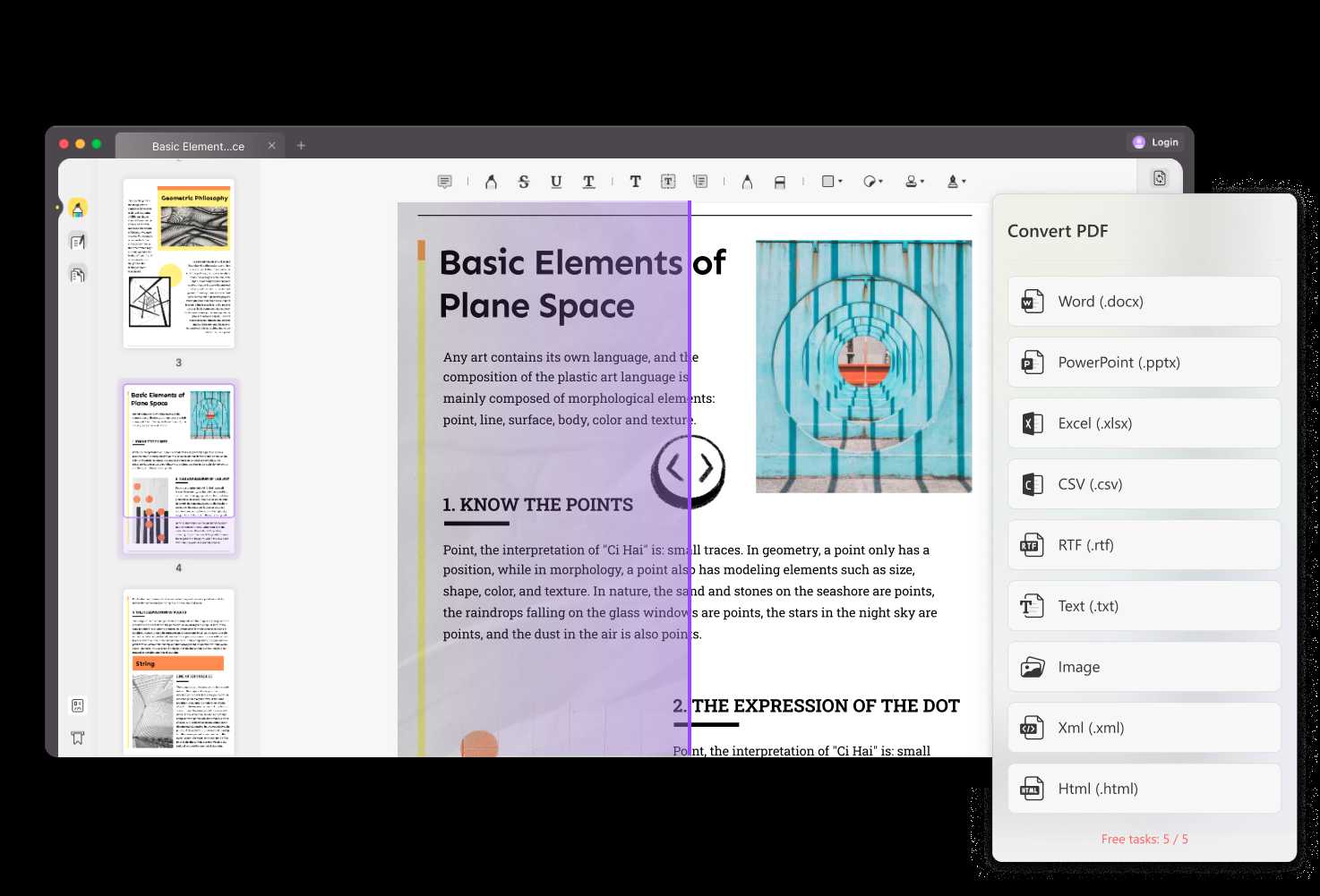
Converting PDF to other formats is now simple!
UDPF comes with in-built OCR technology. This enables easy and high-quality conversion of PDF files to other formats. You can convert a PDF file to an editable Office File format with just a few clicks. You can easily convert a PDF file to a Word document, Excel or CSV spreadsheet, or even a PowerPoint presentation.
It is also possible to convert a PDF file to image formats using the UPDF PDF editor. Conversions to PNG, JPEG, BMP, GIF, and TIFF are possible using UPDF.
If you are dealing primarily with text-based PDF files, you may also choose to convert the PDF file to a Text or RTF file.
If you are a web developer who wishes to translate the PDF content to a web-based content file, you can use the UPDF PDF editor to convert a PDF file to HTML and XML file formats as well. Advanced users may also choose to convert a PDF file to PDF/A formats as well.
Easy Organisation of PDF Files
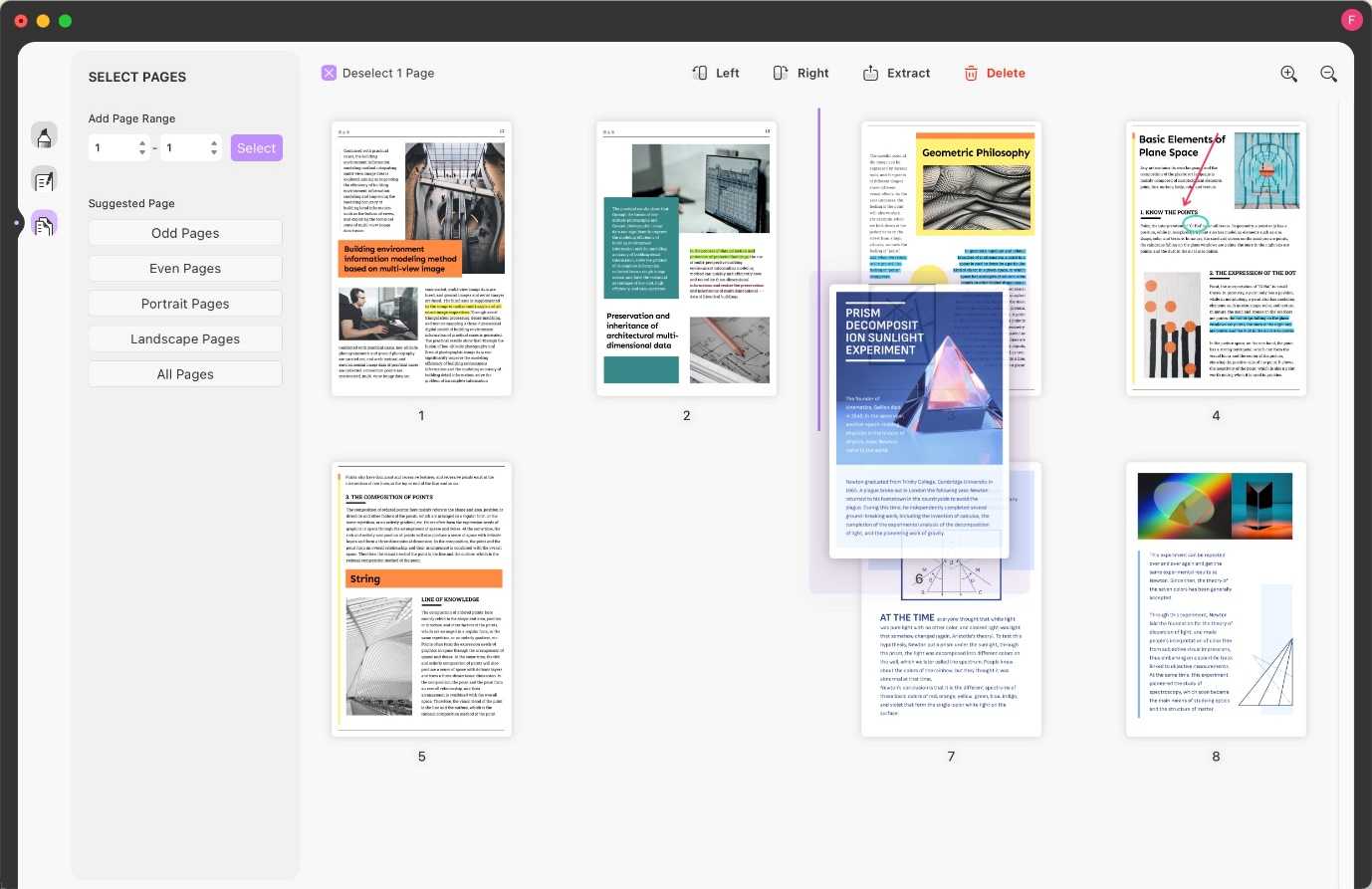
UPDF PDF editor offers a fast PDF page organizer. You can quickly insert new blank pages or remove unwanted pages from your PDF from a selection pane. If your use case requires you to rotate a PDF page from portrait to landscape orientation or vice versa, you can achieve the same using page rotation options. You can rotate the pages left or right as required. You can easily rearrange or reorder pages in the PDF within the UPDF PDF editor. You can do this by performing simple drag and drop actions.
UPDF also enables you to split a PDF file based on the page numbers. You can choose to replace specific pages in a PDF document with others or extract a particular page from the PDF document.
How would UPDF Help in Your Work?
Since we are working with PDF files almost daily, a high-quality PDF editor can help you achieve any PDF action and make you more productive. There are several scenarios in which UPDF can help you -
● Your work as an academician or a knowledge worker may require you to edit the content of a PDF document. With traditional PDF software makes it impossible to edit a PDF document easily. However, the UPDF PDF editor enables you to edit any part of the content. If you wish to update a document or a diagram and perform a complete overhaul of the text or images, UPDF is your best friend.
● You may be required to convert PDF files to data-based formats like XLSX or CSV as a data worker. UPDF can help you achieve the same with ease.
● As an author, you may require to make multiple edits to your PDF write-ups after careful reviews. The annotation and comments capability can help make your drafts easier to manage.
The UPDF PDF editor can help all knowledge workers in various scenarios.
Conclusion
If you are looking for the best PDF editor tool, you must look for a high-quality device that does not hurt your pocket. While several software tools are available, it is essential to pick the right tool that fits these requirements. UPDF perfectly fits the bill, and it is the right time to use this tool. If you share this article on social media with the hashtag #UPDFgiveaway and send a screenshot of the same to [email protected], the team rewards you with a 3-month free license to all features of UPDF across all platforms. This offer ends on 30th September, and we recommend you hurry up and get your free access to this free PDF editor.


