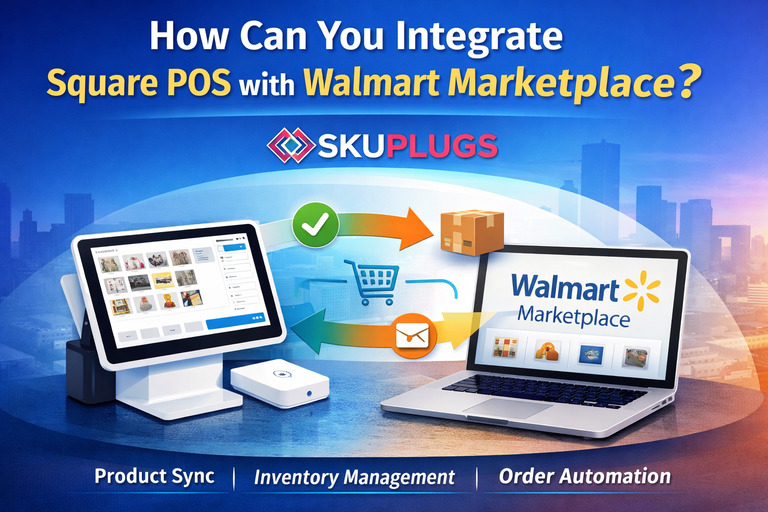
How Can You Integrate Square POS with Walmart Marketplace?
Managing sales across both physical stores and online marketplaces can quickly become complicated if systems don’t communicate with each other. Many retailers using Square POS face challenges when expanding to Walmart Marketplace, such as manual inventory updates, order delays, and product mismatches. This is where Square POS Walmart Integration becomes essential.
With the right integration solution like SKUPlugs, businesses can seamlessly connect Square POS with Walmart, automate daily operations, and manage multichannel sales efficiently from a single ecosystem.
What Is Square POS Walmart Integration?
Square POS Walmart Integration refers to connecting your Square Point of Sale system with Walmart Seller Center so that critical business data flows automatically between both platforms. This includes product details, inventory levels, and order information.
Instead of managing Square and Walmart separately, integration ensures that whenever a product is sold, updated, or added in one system, the change is reflected in the other. This eliminates manual work, reduces errors, and improves operational efficiency for growing retailers.
Why Is Square POS Walmart Integration Important?
Square POS is widely used for in-store sales and inventory tracking, while Walmart Marketplace offers massive online visibility and customer reach. When these platforms operate independently, sellers often experience:
- Inventory mismatches
- Overselling or stockouts
- Delayed order processing
- Time-consuming manual updates
By integrating Square POS with Walmart, businesses can streamline operations and maintain accurate data across all sales channels. This is especially valuable for retailers handling both online and offline orders.
How SKUPlugs Helps Integrate Square POS with Walmart
SKUPlugs provides a reliable and automated solution to connect Square POS with Walmart Marketplace. It acts as a middleware that synchronizes data between both systems without the need for custom development or technical expertise.
Using SKUPlugs, sellers can manage Square and Walmart together instead of switching between multiple dashboards. The integration is designed to be scalable, accurate, and easy to maintain.
Product Synchronization Made Simple
Managing product listings manually on Walmart can be time-consuming and error-prone. SKUPlugs allows you to sync products directly from Square POS to Walmart, ensuring consistent product information across platforms.
Key product details such as:
- Product name
- SKU
- Price
- Stock quantity
are automatically synced. Sellers can choose which products to publish on Walmart while maintaining full control over their catalog in Square POS.
Automated Inventory Sync Across Channels
Inventory accuracy is critical for maintaining seller performance on Walmart. If inventory is not updated on time, it can lead to canceled orders and account issues.
With SKUPlugs, inventory is automatically synced between Square POS and Walmart. Whenever a sale occurs in-store or on Walmart, stock levels are adjusted accordingly across both platforms. This helps prevent overselling and ensures customers always see accurate availability.
Centralized Walmart Order Management in Square POS
Handling Walmart orders separately can slow down fulfillment and increase the chance of errors. SKUPlugs imports Walmart orders directly into Square POS, allowing sellers to manage all orders from one place.
This centralized approach enables businesses to:
- Process orders faster
- Maintain accurate inventory after fulfillment
- Reduce manual data entry
- Improve overall order accuracy
For sellers handling growing order volumes, this feature becomes a major operational advantage.
Who Can Benefit from Square POS Walmart Integration?
Square POS Walmart Integration is ideal for:
- Retailers selling both online and in physical stores
- Small and mid-sized businesses using Square POS
- Walmart sellers looking to automate operations
- Businesses aiming to scale without increasing workload
Whether you are new to Walmart Marketplace or already established, integrating Square POS with Walmart helps support sustainable growth.
Why Choose SKUPlugs for Square POS Walmart Integration?
SKUPlugs is built specifically for businesses that want automation without complexity. The platform ensures stable syncing, accurate SKU mapping, and smooth data flow between Square POS and Walmart.
With SKUPlugs, sellers gain:
- Reduced operational workload
- Better inventory control
- Faster order processing
- A scalable integration solution
This allows businesses to focus on sales and customer experience instead of manual backend tasks.
FAQs on Square POS Walmart Integration
1. Does Square POS have a native Walmart integration?
No, Square POS does not offer a built-in integration with Walmart. Third-party solutions like SKUPlugs are required to connect Square POS with Walmart Marketplace.
2. Can inventory sync automatically between Square POS and Walmart?
Yes, SKUPlugs enables automatic inventory synchronization so stock updates in Square or Walmart are reflected across both platforms.
3. Are Walmart orders synced into Square POS?
Yes, Walmart orders can be imported into Square POS using SKUPlugs, allowing centralized order and inventory management.
4. Is SKUPlugs suitable for small businesses?
Yes, SKUPlugs is designed for small and mid-sized businesses looking for an affordable, scalable, and easy-to-use integration solution.
Conclusion
Square POS Walmart Integration is a smart move for retailers looking to expand their online presence without adding operational complexity. By using SKUPlugs, businesses can automate product syncing, inventory updates, and order management between Square POS and Walmart Marketplace. This integration helps create a smoother, more efficient multichannel selling experience while supporting long-term business growth.
Original Source: Medium


