StreamyCam: A Flexible Live Stream App For Creators
Live streaming is no longer limited to studios. Today, creators go live from their phones, stream games directly from their devices, and broadcast IRL streaming sessions from anywhere in the world, having the right stream app makes a difference when you go live.
StreamyCam lets you live stream apps, games, or your mobile camera directly from your phone, giving creators total control and flexibility. Whether starting your first game livestream, or an advanced rtmp stream workflow, a live stream app like StreamyCam is built to help you go live consistently with high-performance streaming workflow.
What is StreamyCam?
StreamyCam is a flexible live streaming app built for creators who want freedom and control. It has no daily or monthly limits of live stream or media uploads, allowing you to go live as often and as long as you want with resources without any restrictions.
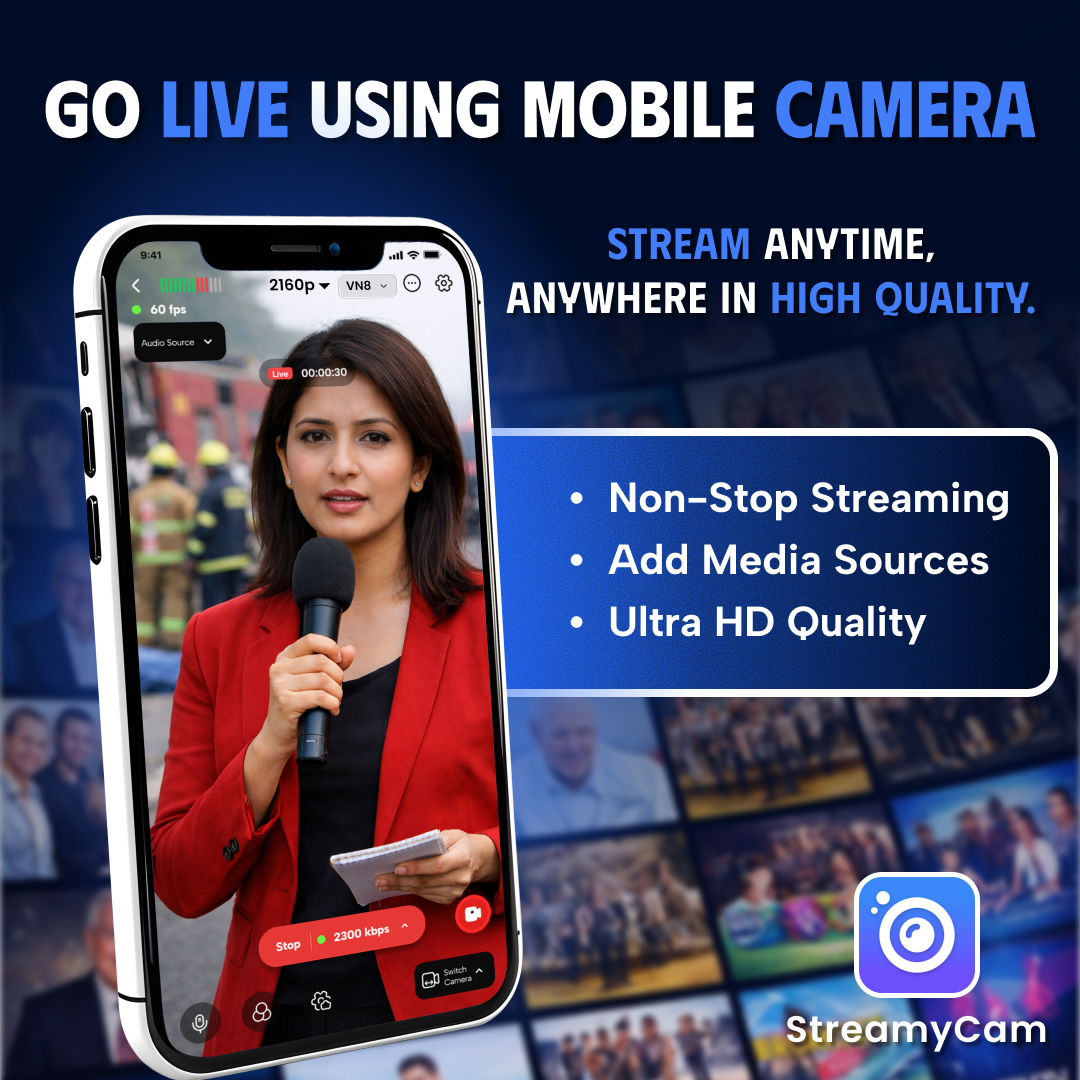
The app supports up to 4K resolution and up to 60fps for high-quality, smooth live stream. It also includes an easy-access privacy button, so if you don’t want to show your screen or camera, you can hide it instantly.
Multi-Protocol Live Streaming:
Compatibility defines every stream app. Live stream app like StreamyCam supports RTMP stream, SRT stream, and RTSP stream so creators can go live across different platforms.
What is RTMP?
RTMP transmits live video and audio from your device to a streaming server in real time.
How does this magic happen?
Through the Stream key. The stream key is a unique private code provided by your streaming platform. You just copy the stream key from the platform and paste it into your streaming app once, and your account is connected.
After that, you can go live anytime without repeating the full setup making the process quick and easy.
Who needs RTMP in a streaming app?
- Game livestream or game casting creators
- IRL stream creators
- Event organizers
- Educators and online trainers
- Businesses hosting webinars or product demos
- Influencers and content creators streaming live sessions
- News reporters and media teams
What is SRT?
SRT transfers live video and audio securely with low latency, even over unstable internet connections. SRT is ideal when internet stability is a concern.
Who Needs SRT in a Streaming App?
- IRL STREAM creators going live from outdoor or mobile locations
- Travel vloggers streaming from moving vehicles or public networks
- News reporters streaming from remote areas
What is RTSP?
is a network protocol used to stream live video from cameras or media devices to a server or media player in real time. used with IP cameras, CCTV systems, network cameras, and DSLR or webcam setups that support network streaming.
Who Needs RTSP in a Streaming App?
- IP camera users streaming CCTV or security camera feeds
- Event production teams managing multiple camera angles
- Businesses and schools streaming seminars, monitoring rooms, or training sessions
By combining RTMP stream, SRT stream, and RTSP stream, StreamyCam ensures stable connectivity, flexible camera integration, and reliable performance across different streaming environments.
Whether you are streaming to major platforms, going live from unstable networks, or routing multiple camera sources, the app provides a smooth and adaptable live streaming workflow for creators.
High-Quality Audio & Video Control:
Quality matters every time you go live. StreamyCam allows performance control across game livestream, game casting, and IRL stream.
Audio Controls:
- 1400kbps to 16000kbps
- Customization range for optimized streaming quality.
Video Settings:
- Portrait and landscape orientation
- 480p, 720p, 1080p, and 2160p(4K)
- Up to 60 fps
- Auto-adjust optimization
- Video Encoding Format: AVC, HEVC, MJPEG, VP8/VP9, AVI
- Multiple built-in filters
- Glitch/Privacy effect on/off feature
- Pen feature: Write or draw on the screen during live streaming viewers can see it in real time.
- Add your own logo overlay on the live stream, game casting, game livestream.
- Switch to uploaded images and videos during the live stream, IRL stream, game livestream, game casting.
- Switch between different cameras during the live stream, IRL stream, game livestream, game casting.
- Loop uploaded resource during live stream, IRL stream, game casting.
- Easily add and access RTMP, SRT, and RTSP stream links with stream key.
Built for Gaming & High-Performance Streaming:
Gamers know stream quality matters. StreamyCam delivers up to 4K resolution at 60fps, ensuring your gameplay looks sharp, clear, smooth,. Whether you’re streaming fast-paced shooters or high-detail open-world games, your audience experiences smooth motion without frame drops that can ruin competitive moments.
Connecting to platforms is just as seamless. With an easy one-time RTMP setup, you simply add your stream key once and you’re ready to go live anytime.The app also lets you list and manage multiple RTMP channels, so you can switch between YouTube, Twitch, Facebook, or other platforms without repeating the setup process.
Stable performance, quick platform access, and high-resolution output make StreamyCam a practical choice for creators who want consistent, high-performance streaming without technical hassle
Built for IRL & Creative Streaming:
For IRL streamers, travel vloggers, and event managers, stability and flexibility are everything. With SRT support, you can go live from outdoor locations, crowded venues, or moving environments while maintaining a reliable connection. RTSP integration allows you to connect IP cameras or external setups, making it easy to manage professional multi-camera productions directly from your streaming app.
You can switch between multiple cameras, display real-time date and time during your broadcast, apply built-in filters, and even show pre-uploaded images or videos alongside your live stream. Whether you're covering a live event, hosting a workshop, or streaming from a travel destination, these tools help you deliver dynamic and engaging experiences.
Why Choose StreamyCam for Your Next Stream?
If you are searching for a youtube live stream app or any stream app to go live, do IRL stream, game casting, game livestream, your search ends here.
StreamyCam grows with you without forcing you into a financial commitment to unlock true potential.
Professional Tools, Zero Restrictions:
- Unlike many live stream apps that cap free users at 720p or 1080p, StreamyCam functions as a true 4K live streaming app, also supports up to 6ofps.
- Many platforms control bitrate, leading to compression, pixelation, and reduced clarity. StreamyCam allows audio bitrate up to 16000 kbps.
- Some mobile streaming apps enforce daily time caps, monthly data limits, with StreamyCam there are no built-in streaming limits restricting your Live stream, IRL stream, game casting or game livestream.
- Pre-recorded broadcasts are often limited on other platforms. StreamyCam allows users to stream and upload local video files without daily or monthly restrictions.
In a world where “go live” is the new normal, StreamyCam ensures that your IRL stream, , game casting and game livestream stands out through sheer quality.
We provide the tools; you provide the vision. Together, let’s make every frame count. Level up your game and grow your live stream with StreamyCam.


