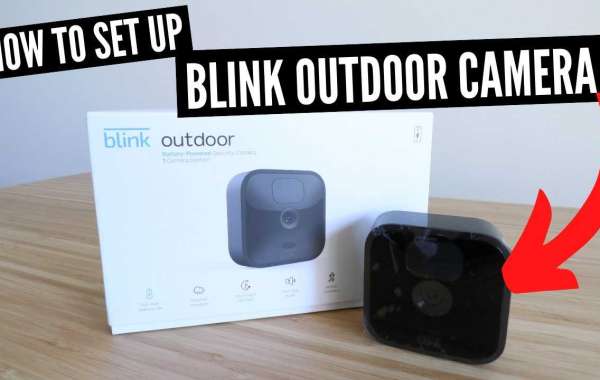
Learn The Steps For Blink Outdoor Camera Setup
Have you installed the Blink outdoor camera in your home? Well done, everyone needs that extra security nowadays. Without making it a long read let's tell you how to set up a Blink outdoor camera.
Blink Outdoor Camera Setup Instructions
Follow the steps for Blink outdoor camera setup;
- Step 1: Visit the Blink app from your app store and download the app.
- Step 2: Launch the app and create an account using the same-named option.
- Step 3: Press the Next button.
- Step 4: Confirm your location (sometimes, pre-selected due to IP address) and hit the Ok button.
- Step 5: Enter a valid email ID and press the Next button.
- Step 6: Enter the correct password and press the create button.
- Step 7: Have a look at the password requirements to create a strong one.
- Step 8: Complete the multi-account verification.
- Step 9: Look for the PIN in your email.
- Step 10: Type the PIN and hit the verify icon.
Enter the received PIN within 40 minutes, before it disappears. You can click on the Resend PIN Code option after one minute if you didn’t get the mail.
Once the email verification is complete, the Blink app will verify your account by automatically sending a SMS on your phone number.
After email verification, the app automatically configures your phone number via SMS and sends a message for account verification. Now, proceed to the next step for Blink camera setup.
- Step 11: Open the phone number keypad by clicking on the phone number field.
- Step 12: Select your country code by selecting the national flag icon.
- Step 13: Enter the mobile number you want to select for verification and press the Next tab.
- Choose the Voice Call tab if you want to receive the PIN by call and not by SMS.
- PIN entry screen will appear on your computer, once you receive the PIN.
- The verification SMS looks like this;
- “Your Blink Verification Code is: 12356”
- Step 14: Hit the verify button, next.
Once the Verification setup is finished, you will be asked to link your new blink account to your Amazon account by clicking on the Link Account button. However, this is an option step, so if you don’t want to perform this then skip this step by clicking on the Skip button.
- Either log in to your existing Amazon account or create a new one.
- Click the Next button, once the accounts are linked.
Afterall, you know how to set up a Blink outdoor camera.
Concluding The Blink Outdoor Camera Setup!
The setup process might look long and tiring. But, have our word, this is the most easily explained camera setup. So, here we come to an end with the Blink camera setup.Our technical team is reachable 24*7 in case of setup related queries and problems.


